Skip to content

EduLink School Management

Run your whole school from one place.

Admissions, attendance, exams, report cards and fees — all in one system, with a live window for every parent. Made for how Ethiopian schools actually work, in Amharic and English.

What EduLink School Management does

  • Student Management

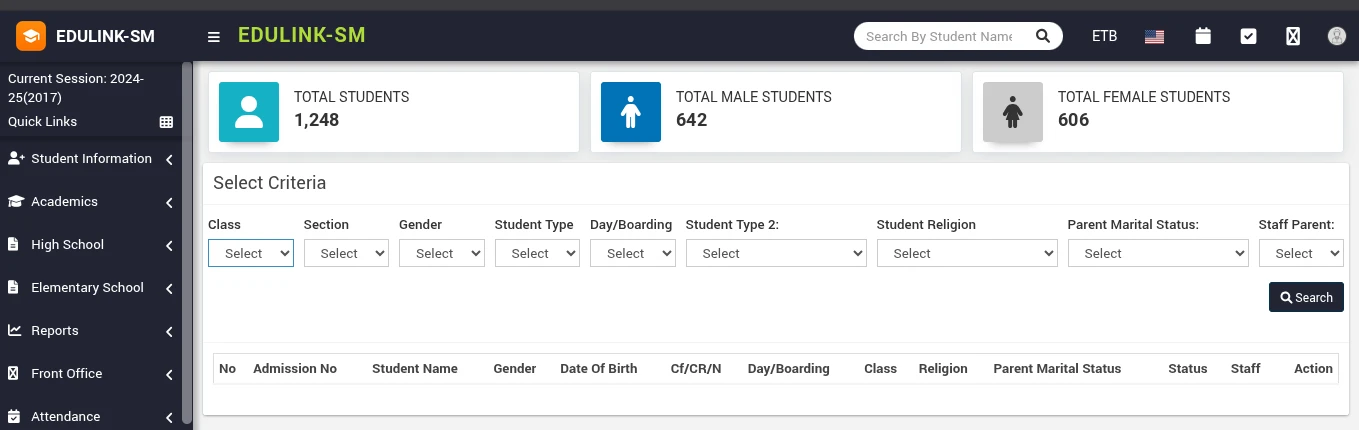
    Enrol, track and manage every student record.

  • Staff & Payroll

    Staff records, leave, attendance and payroll.

  • Classes & Subjects

    Sections, subject groups, timetables, syllabus.

  • Exams & Report Cards

    Marks, ranks, report cards and transcripts.

  • Attendance

    Daily or per-subject — biometric ready.

  • Fee Management

    Fee groups, discounts, receipts, reminders.

  • Parent Portal

    Parents see marks, fees and homework live.

  • Any Device

    Runs in the browser on phone, tablet or PC.

  • Online Admission

    Families apply online with documents and status check.

  • Online Exams

    Question bank and exams students take online.

  • Homework & Lesson Plans

    Topics, completion dates, homework and evaluation.

  • Library

    Books, members, issue and return.

  • Transport & Hostel

    Routes, vehicles, pickup points and rooms.

  • SMS & Notices

    SMS, email and app notices to any group.

  • ID Cards & Certificates

    ID cards with QR or barcode, certificates.

  • Multi-branch & Backups

    Several schools, one login, automatic backups.

How it works

A school year in EduLink.

From the first application to the last transcript, every step of the year runs through one system — and each step feeds the next.

  1. 01

    Admission

    Registrar · Parents

    Families apply online — documents, fee and status check included — or the office admits students directly.

    • Online admission form
    • Document upload
    • Ethiopian date-of-birth converter
  2. 02

    Classes & timetable

    Academic office

    Students are placed into class and section for the session; subject groups and the weekly timetable follow.

    • Class & section placement
    • Subject groups
    • Timetable for staff and students
  3. 03

    Daily attendance

    Teachers

    By day or by period, for students and staff. Biometric devices can mark attendance automatically.

    • Daily or per-subject
    • Staff attendance & leave
    • Biometric device support
  4. 04

    Teaching

    Teachers · Students

    Lesson plans track topics and completion; homework and study materials reach students through the portal.

    • Lesson plans & syllabus
    • Homework
    • Study content & video lessons
  5. 05

    Exams & marks

    Teachers

    Set up terms and exams, enter marks per subject, record conduct and absences for each term.

    • Terms & exams
    • Mark entry per subject
    • Conduct & absence per term
  6. 06

    Ranking & report cards

    Automatic

    Totals and ranks are calculated for every section — per term and for the year — and report cards print in bulk.

    • Term and annual rank
    • Bulk report cards
    • Roster, mark list, class averages
  7. 07

    Pass / fail & transcripts

    Director · Registrar

    Apply your pass policy — passing average and subjects below 50 — publish results, and print official transcripts.

    • Pass/fail policy
    • Publish results
    • Official transcript, Ethiopian + Gregorian dates
  8. 08

    Promotion & alumni

    Academic office

    Students who pass move to the next session with their exams assigned; graduates join the alumni list.

    • Promote to next session
    • Leaving certificates
    • Alumni & events

Made for how Ethiopian schools work.

Ethiopian dates on official papers
Transcripts carry both Ethiopian and Gregorian dates, report cards use the Ethiopian year, and birth dates can be entered in the Ethiopian calendar.
Amharic and English
A full Amharic interface. Each user picks their language, so a parent can read in Amharic while the registrar works in English.
Elementary and high school
Both levels run side by side, each with its own exam module, report cards and transcripts — and one set of students.
One owner, several schools
Multi-branch support: every branch keeps its own database, and the owner switches between them from one login.
Your data, your server
Install on your own hosting with the setup wizard, or on ours. Automatic backups run on a schedule, and the database belongs to the school.
Roles and audit trail
Every user sees only what their role allows. Changes and logins are recorded — who, what and when.

Elementary and high school. Two exam modules. One system — and every parent with their own login.

Everything included

Every part of your school, explained.

Nine areas, one system. Here is exactly what each one does, who uses it, and how it works day to day.

01 / 09

Admissions & student records

Every student has one record from the day they apply to the day they graduate — personal details, guardians, documents, class history, fees, marks and attendance.

How it works

  1. 1A family fills in the online admission form on your school website, uploads documents and can pay the admission fee.
  2. 2The registrar reviews the application and admits the student with an admission number.
  3. 3The student is placed in a class and section for the current session and gets a login for the portal.

What’s included

  • Online admission form with document upload and status check
  • Ethiopian-calendar date-of-birth entry
  • Guardian and sibling details
  • Student ID cards with QR code or barcode
  • Custom fields for anything your school records
  • Student transfer, leaving certificate and disable reasons
  • Alumni list and alumni events

02 / 09

Classes, timetable & teaching

Set up the school once each session — classes, sections, subjects and teachers — and the timetable, lesson plans and homework follow from it.

How it works

  1. 1Create classes and sections, then group subjects for each class.
  2. 2Assign class teachers and subject teachers and build the weekly timetable.
  3. 3Teachers track lesson plans topic by topic and post homework and study material to the portal.

What’s included

  • Classes, sections and subject groups
  • Weekly timetable for staff and students
  • Lesson plans with topics and completion dates
  • Syllabus status per subject
  • Homework with submission and evaluation
  • Study content and video lessons for download
  • Online exams with a question bank

03 / 09

Attendance

Take attendance the way your school works — once a day or every period — for students and staff, by hand or from a biometric device.

How it works

  1. 1Teachers mark present, absent, late or half-day for their class, or per subject each period.
  2. 2A biometric device at the gate can send each scan straight to EduLink, which marks the student or staff member present.
  3. 3Parents can be notified of absences, and monthly attendance reports are ready for the office.

What’s included

  • Daily student attendance
  • Per-subject (period) attendance
  • Staff attendance and leave requests
  • Biometric device integration
  • Absence notifications to parents
  • Attendance reports by day, month and class

04 / 09

Exams, ranking & transcripts

Built around how Ethiopian schools report results: term exams, a rank for every student in every section, report cards, and an official transcript.

How it works

  1. 1Set up the terms and exams for the year, then teachers enter marks for each subject — plus conduct and absences for each term.
  2. 2EduLink adds up each student’s marks, ranks every section per term and for the whole year, and handles ties fairly (1, 1, 3).
  3. 3Apply your pass policy — a passing average and the number of subjects allowed below 50 — publish results, and print report cards and transcripts.

What’s included

  • Separate exam modules for elementary and high school (grades 9–12)
  • Mark entry per subject, conduct and absence per term
  • Automatic term and annual ranking per section
  • Bulk report cards with the Ethiopian year
  • Official transcript with Ethiopian and Gregorian dates
  • Class roster, mark list, class average and mark analytics
  • Pass/fail policy and one-click result publishing
  • Promotion to the next session

05 / 09

Fees & finance

Every fee, discount and payment in one place, so the office always knows who has paid, who hasn’t, and where the school stands.

How it works

  1. 1Create fee types and group them by class — tuition, transport, exam fees and more — with due dates and fines.
  2. 2Collect payments at the office, or let parents upload a bank receipt from the portal for the office to approve.
  3. 3Reminders go out before due dates, balances carry forward to the next session, and income and expenses sit alongside fees.

What’s included

  • Fee types, groups and fee masters
  • Discounts and scholarships
  • Due dates, fines and balance carry-forward
  • Automatic fee reminders
  • Bank-receipt upload and office approval
  • Online payment gateways
  • Income and expense tracking
  • Payroll with payslips

06 / 09

Parent & student portal

Every parent and student gets their own login — in Amharic or English — and sees exactly what concerns them, from any browser.

How it works

  1. 1The school creates the logins when a student is admitted.
  2. 2Parents and students sign in from a phone or computer — nothing to install.
  3. 3Everything the school records shows up for them the moment it’s entered.

What’s included

  • Marks, exam schedule and online exams
  • Attendance and leave requests
  • Timetable, syllabus and homework
  • Fee balance, payment history and receipt upload
  • Study content and video lessons
  • Library books, transport route and hostel
  • Notices, notifications and chat with teachers

07 / 09

Communication & school website

Reach every parent, student and staff member from one place — and give your school a website that updates itself from the system.

How it works

  1. 1Write a message once and send it by SMS, email or app notification to a class, a group or everyone.
  2. 2Schedule messages ahead of time — exam reminders, holiday notices, fee deadlines.
  3. 3Publish news, events, notices and photos to your school website from the same admin panel.

What’s included

  • SMS, email and push notifications
  • Scheduled messages
  • Notice board and in-app chat
  • School website with 6 themes
  • Pages, menus, banners, events, gallery and news
  • Online admission form on the website

08 / 09

Library, transport, hostel & front office

The rest of the school, run from the same system instead of separate notebooks.

How it works

  1. 1Add books, vehicles, routes, rooms and stock once.
  2. 2Issue and return books, assign students to routes and rooms, track stock in and out.
  3. 3Log visitors, phone calls, enquiries, postal dispatch and complaints at the front desk.

What’s included

  • Library: books, members, issue and return
  • Transport: routes, vehicles and pickup points
  • Hostel: rooms and room types
  • Inventory: items, stock, stores and suppliers
  • Front office: visitors, calls, enquiries, dispatch and complaints

09 / 09

Administration, security & data

Control who sees what, keep a record of every change, and keep the school’s data safe — on your own server or ours.

How it works

  1. 1Install EduLink with the setup wizard on your own hosting, or let us host it.
  2. 2Create staff accounts with roles — each role sees only the menus and data it needs.
  3. 3Backups run on a schedule; every change and login is logged.

What’s included

  • Roles and permissions per menu
  • Audit trail and login log
  • Manual and automatic backups
  • Multi-branch: several schools, one owner login
  • Amharic, English and 70+ other languages
  • Setup wizard for your own hosting

Reports

The numbers your office asks for — one click away.

The counts, averages and pass/fail lists a school director asks for — ready to print, without a spreadsheet.

Students & staff

  • Students by class and section
  • Religion and gender breakdown
  • Students who left
  • Teachers per class

Results

  • Class averages
  • Subject analysis
  • Pass/fail by status and year
  • Failing students
  • Missing marks

Policy

  • Set the pass policy
  • Apply it to a class
  • Publish results

What we’re building next.

soon…

AI-assisted exams

Draft question papers from your syllabus, mark objective answers automatically, and flag students whose marks are slipping before the term ends.

soon…

NFC student cards

Students tap their ID card at the gate and attendance is taken — parents get a message the moment their child arrives.

Designed for everyone

Everyone gets their own login. Everyone sees what they need.

HELLO

we’re

Students

Timetable, homework, marks and online exams — all in one login.

HELLO

we’re

Parents

See attendance, results and fee balances without a trip to school.

HELLO

we’re

Teachers

Take attendance, enter marks and set homework in minutes.

HELLO

we’re

Administrators

Admissions, finance, staff and reports under full control.

Getting started

Live in weeks, not a school year.

We handle the setup. Your team shows up for training.

  1. Book a demo

    We walk your team through the system with your own grade structure.

  2. We set it up

    Your domain, your classes, your fee structure and your student list — imported.

  3. Train the staff

    Hands-on sessions for registrars, teachers and finance.

  4. Go live

    Parents get their logins. You get your evenings back.

Book a free demo

We reply within one working day.